A weighing system does more than measure weight. In industrial environments, the reading often needs to be displayed, recorded, transmitted, printed, stored, or used to control the next step in a process. This is where the weighing indicator or weighing controller becomes critical.
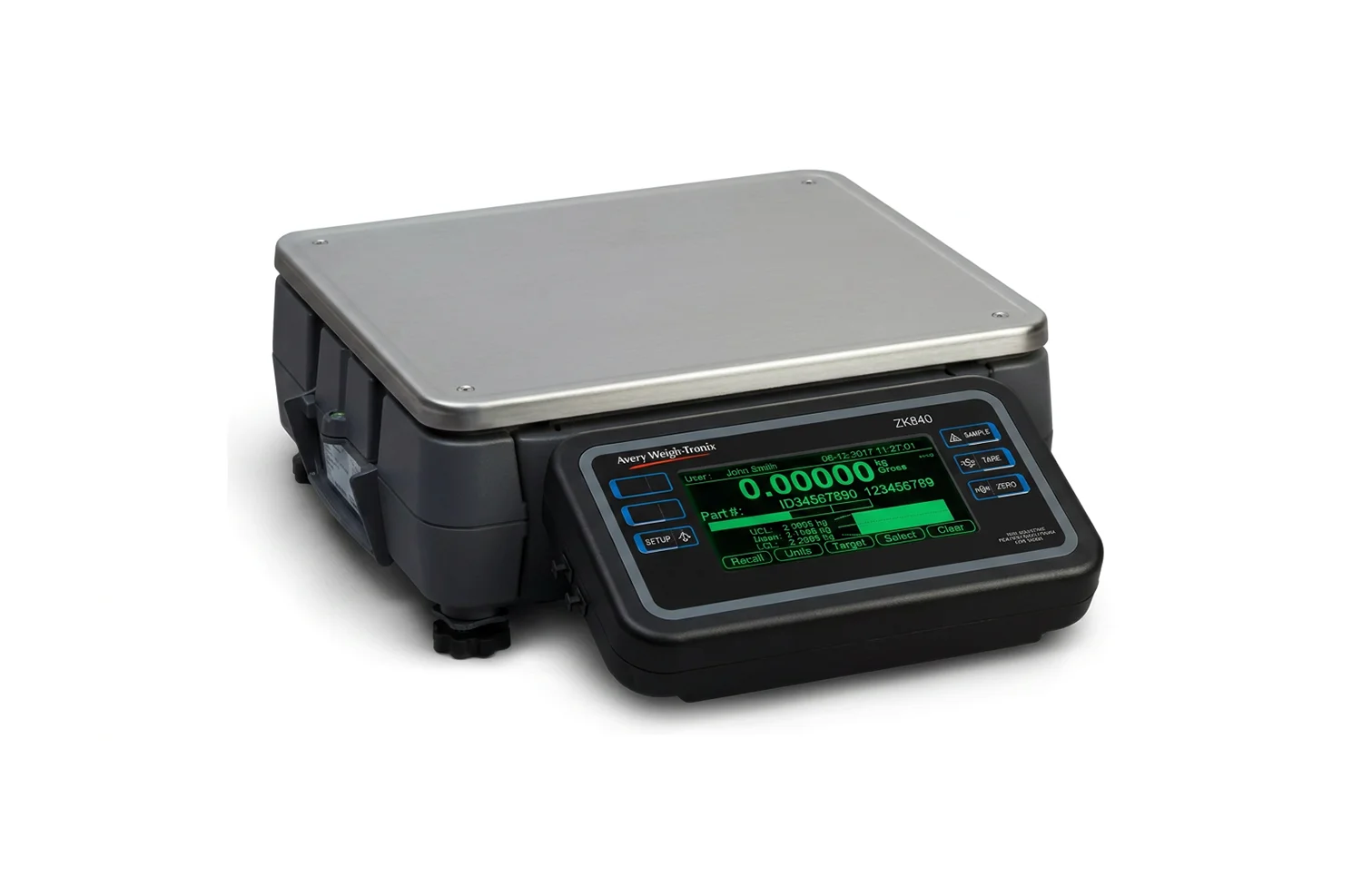
A weighing indicator, also known as a weight indicator or scale indicator, is the device that turns a scale or load cell signal into a readable weight value. A scale indicator is described as a device that provides weight data from a scale to an operator or automated system.
A weighing controller goes further. It uses weight data to control actions such as batching, filling, dosing, discharge, checkweighing, or process automation. The right choice depends on what the system needs to do after the weight is measured.
What Is a Weighing Indicator?
A weighing indicator is the display and data interface of a weighing system. It receives the signal from the load cell or scale, converts it into a readable weight value, and allows operators or connected systems to use that data.
A scale indicator may support:
- Weight display
- Zero and tare
- Gross, net, and total weight
- Ticket printing
- Stored weighing records
- Data transmission
- Connection to printers, PCs, PLCs, ERP systems, or weighbridge software
In simple terms:
A weighing indicator tells the operator or connected system what the scale is reading.
It is commonly used with platform scales, floor scales, vessel weighing systems, warehouse scales, process weighing systems, checkweighing lines, and weighbridges.
What Is a Weighing Controller?
A weighing controller is used when weight data must trigger or manage an action. Instead of only displaying the reading, it can help control equipment such as valves, feeders, conveyors, filling machines, dosing systems, batching systems, or discharge points.
For example, a weighing controller can help a system:
- Stop filling when a target weight is reached
- Open or close a valve
- Start or stop a feeder
- Control dosing stages
- Trigger an alarm
- Send a signal to a PLC
- Manage discharge based on weight
Rinstrum highlights process-control indicators and controllers with analogue output, isolated I/O, RS232/RS485 communication, Modbus, Ethernet/IP, and PLC connectivity.
In simple terms:
A weighing controller uses weight data to control the process.
Weighing Indicator vs Weighing Controller
The main difference is the level of control required.
A weighing indicator is usually enough when the goal is to read, record, print, or transmit weight. A weighing controller is needed when the device must use weight data to control a process.
| Point of Comparison | Weighing Indicator | Weighing Controller |
| Main role | Displays and manages weight readings | Uses weight readings to control actions |
| Automation level | Low to moderate | Moderate to high |
| Typical functions | Display, tare, zero, gross/net, totals, records, printing, data output | Setpoints, I/O, batching, filling, dosing, discharge, PLC connection |
| Typical use | Platform scales, weighbridges, warehouse scales, vessel weighing | Process weighing, batching, filling, dosing, automated production |
| Best choice when | You need to read, record, print, or transmit weight | The system must control a process based on weight |
Simple Selection Guidance
Choose a weighing indicator when you need to:
- Display weight clearly
- Use tare, zero, gross, and net values
- Print or store weighing records
- Send weight data to software, printers, PCs, or ERP systems
- Support operator-led weighing tasks
Choose a weighing controller when you need to:
Core Weighing Indicator Functions
A weighing indicator should be selected around the application, not only the display. The following functions are common in industrial weighing systems.
1. Weight Display
The most basic function is to show the measured weight clearly. In industrial environments, display size, visibility, keypad layout, enclosure design, and operator interface can affect daily use, especially in outdoor, dusty, wet, or high-traffic areas.
2. Zero and Tare
Zero resets the scale when there is no load.
Tare removes the weight of a container, pallet, vessel, or vehicle so the operator can read the net material weight.
These functions are essential in truck weighing, batching, warehouse operations, packaging, and tank or vessel weighing.
3. Gross, Net, Totals, and Peak Hold
A weight indicator may manage different weight values depending on the application:
- Gross weight: total weight on the scale
- Tare weight: container or vehicle weight removed from the reading
- Net weight: actual product or material weight
- Total weight: accumulated weight across several weighments
- Peak hold: highest measured value during a weighing event
These functions support logistics records, inventory control, production totals, transaction records, and quality checks.
4. Data Handling and Records
Modern weighing indicators often support more than a live display. Depending on the model, they may handle:
- Stored weighing records
- Printed tickets
- Time and date records
- Product IDs
- Operator IDs
- Truck or vehicle IDs
- Audit trails
- Alibi memory
- Custom print formats
- Data export to connected systems
Rice Lake Weighing Systems describes digital weight indicators as devices that communicate scale weight to an operator through a display or to another machine. It also distinguishes programmable indicators as more advanced devices that can control complex processes involving multiple data points.
5. Connectivity
In many operations, weight data should not stay at the scale.
It may need to move into wider systems such as PLC, SCADA, ERP, ticketing software, production systems, remote displays, or printers.
Common connectivity options include:
- RS232
- RS485
- Ethernet
- Ethernet/IP
- Modbus
- Profibus
- Profinet
- USB
- Wireless
- Analogue output
- Digital I/O
The Rinstrum C500 controller range includes USB, Ethernet, Modbus, PLC connection through Modbus, optional Ethernet/IP, analogue output, I/O, RS232, and RS485, making it an example of how weighing devices can integrate into process-control environments.
Main Types of Weighing Indicators and Controllers
The best device depends on the environment, connectivity requirements, and level of automation needed.
1. Basic Weighing Indicators
Basic weighing indicators are used when the main requirement is a reliable weight reading.
They are suitable for straightforward platform scales, floor scales, bench scales, warehouse scales, and general industrial weighing.
2. Programmable Weighing Indicators
Programmable indicators offer more control over how weight data is handled.
They may support stored records, product IDs, ticket formats, operator prompts, setpoints, multiple scales, batching functions, or custom software logic.
They are useful when weighing needs to support a defined workflow, not just a single reading.
3. Weighing Controllers
Weighing controllers are used when the device must control a process.
They are commonly used in:
- Filling
- Batching
- Dosing
- Formulation
- Tank weighing
- Silo weighing
- Process weighing
- OEM systems
- Automated production lines
HBK’s WTX120 weight indicator is described as suitable for filling, dosing, and sorting plants and machines, with integration into standard industrial control systems through Industrial Ethernet and fieldbus interfaces.
4. Weight Transmitters
A weight transmitter is often used when the weighing signal needs to go directly into a PLC, control cabinet, or automation system.
It may not need a full operator interface because the main display may already be an HMI, SCADA screen, or control system.
Weight transmitters are common in process automation, OEM equipment, and compact control-panel installations.
Indicators by Environment
The same weighing function may require a different device depending on the working conditions. Common environmental categories include:
- Standard indicators for general indoor use
- IP-rated indicators for dust or water protection
- Stainless steel indicators for washdown or hygienic environments
- ATEX / intrinsically safe indicators for hazardous areas
- Panel-mounted indicators for control cabinets
- Rugged outdoor indicators for truck scales and heavy-duty sites
The key point is simple:
The indicator must fit the environment, not only the scale.
Common Weighing Indicator and Controller Applications
Weighing indicator applications and weighing controller applications differ by how the weight data is used. Some workflows only need display and records, while others require automated process control.
Batching
Batching is usually a controller-led application because the system must measure materials against defined target weights.
A batching setup may require recipes, setpoints, ingredient totals, alarms, batch records, and PLC connection. In this type of application, a weighing controller is often more suitable than a basic weighing indicator.
Filling and Dosing
Filling and dosing applications need control over how much material enters a container, bag, vessel, or package.
A weighing controller may manage fast fill, slow fill, target cut-off, dosing correction, and over/under tolerance.
These applications are common in food, pharma, chemical, packaging, and bulk material handling.
Vessel, Tank, and Silo Weighing
In tank, vessel, and silo weighing, the system may be used to monitor inventory, control filling, prevent overfilling, or support batching.
A weighing indicator may be enough when the system only needs to display, record, or transmit weight. A weighing controller may be required when the system needs to control filling, discharge, or process actions based on weight.
Warehouse and Logistics
Warehouse and logistics are common weighing indicator applications. Indicators are used with platform scales, floor scales, pallet scales, shipping systems, and weighbridge software to support tare, gross/net weight, ticket printing, shipment records, product IDs, and ERP connection.
Food, Pharma, Chemical, and Packaging
Food, pharmaceutical, chemical, and packaging applications may use both weighing indicators and weighing controllers, depending on the process.
A weighing indicator may support records, traceability, and quality checks. A weighing controller may support filling, dosing, batching, discharge, or automated line control.
These sectors may also require stainless steel enclosures, washdown protection, repeatability, batch records, and hazardous-area protection where applicable.
Use in Weighbridges
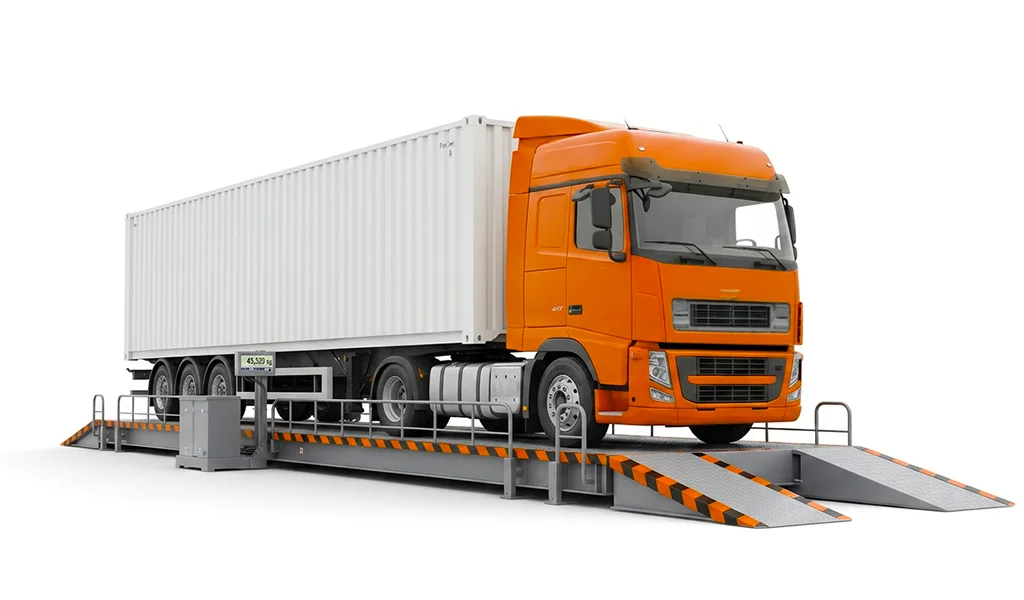
In a weighbridge or truck scale system, the indicator is the main operator-facing device. The load cells measure the vehicle load. The indicator receives the signal, displays the vehicle weight, and helps manage the weighing transaction.
A weighbridge indicator may support:
- Gross, tare, and net weights
- Vehicle in/out transactions
- Stored weighing records
- Ticket printing
- Driver or vehicle IDs
- Remote displays
- Printer connection
- ERP or weighbridge management software connection
For truck scale applications, the indicator should be selected around both the site conditions and transaction workflow.
Important factors include:
- Rugged enclosure
- Outdoor and weather protection
- Clear display visibility
- Data logging
- Ticketing support
- Communication options
- Software integration
- Gross/net/tare handling
Rinstrum’s R420/R423/R427 K401 firmware, in particular, is described as suitable for weighbridges, general trade weighing, multiple-indicator systems, and process control, with features such as programmable printing, custom unit switching, flexible setpoint configuration, PLC integration, and reporting.
How to Choose the Right Weighing Indicator or Controller?
Before choosing a device, define the application first. Use these questions as a starting point:
1. What is being weighed?
Vehicles, tanks, pallets, packages, ingredients, vessels, bags, or process materials will not require the same setup.
2. Where will weighing happen?
Indoor, outdoor, dusty, wet, washdown, hazardous, high-traffic, or control-room environments can all affect the right enclosure and protection level.
3. What should happen after weight is measured?
Display only? Print a ticket? Store a record? Send data to ERP? Trigger a valve? Control a batching process?
This question often determines whether the system needs an indicator or a controller.
4. What systems must it connect to?
Consider whether the device needs to connect to a printer, PC, PLC, SCADA system, ERP platform, remote display, HMI, or industrial network.
5. What records are required?
Weighbridge tickets, batch reports, totals, transaction history, audit trails, product IDs, and operator IDs may all influence the device selection.
The right choice should match the weighing task, operating environment, data requirements, and level of automation.
Making the Right Weighing Decision
A weighing indicator is not just a screen attached to a scale. It makes weight data readable, usable, recordable, and transferable. A weighing controller goes further by turning weight data into process action.
Choose a weighing indicator when you need to read, record, print, or transmit weight.
Choose a weighing controller when the system must control batching, filling, dosing, discharge, or another automated process.
Talk to ZFA experts to help you decide on the right solution for your process and visit the Indicators & Controllers page to review available options.